Computers that do not have a Trygg Dator subscription also do not have the pre-installed remote control software. Connections are then a little more complicated and require that you as a user take a number of steps to install the Team Viewer program.
Go to our website. At the top is the menu option "Remote support" which takes you to a page that normally automatically selects the correct version of the Team Viewer program depending on the type of computer and operating system you have. The download also normally starts automatically.
You need to approve the installation of the program and our personal data management. You will then come to this screen and then we will be able to see your computer in our management lists and tap to remotely control it. Once you have accepted, we can remotely control it.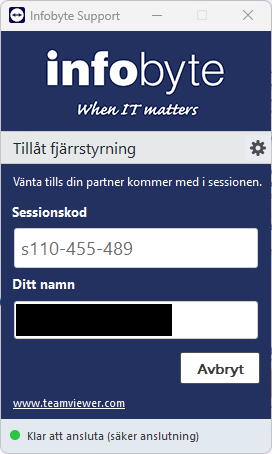
Was this article helpful?
That’s Great!
Thank you for your feedback
Sorry! We couldn't be helpful
Thank you for your feedback
Feedback sent
We appreciate your effort and will try to fix the article